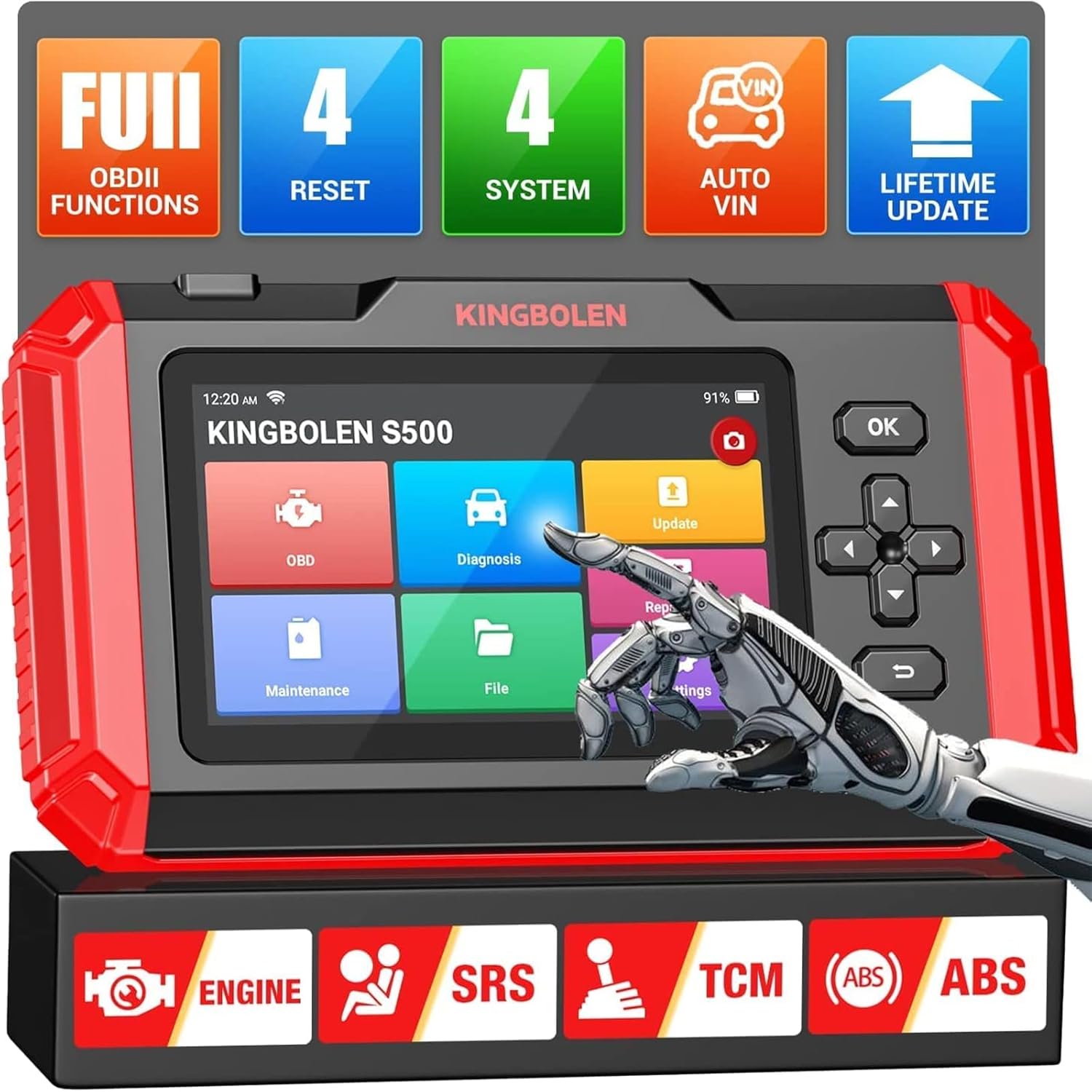
KINGBOLEN S500 Scanner
Have you been looking for a reliable and efficient automotive diagnostic scanner tool for your car?
Look no further than the KINGBOLEN S500 OBD2 Automotive Diagnostic Scanner Tool.
This versatile tool offers enhanced 4 systems diagnostic capabilities, 4 special services, a 5-inch touch screen, and support for 10 full OBDII test modes.
Let’s dive into a detailed review of this product to see if it meets all your automotive diagnostic needs.

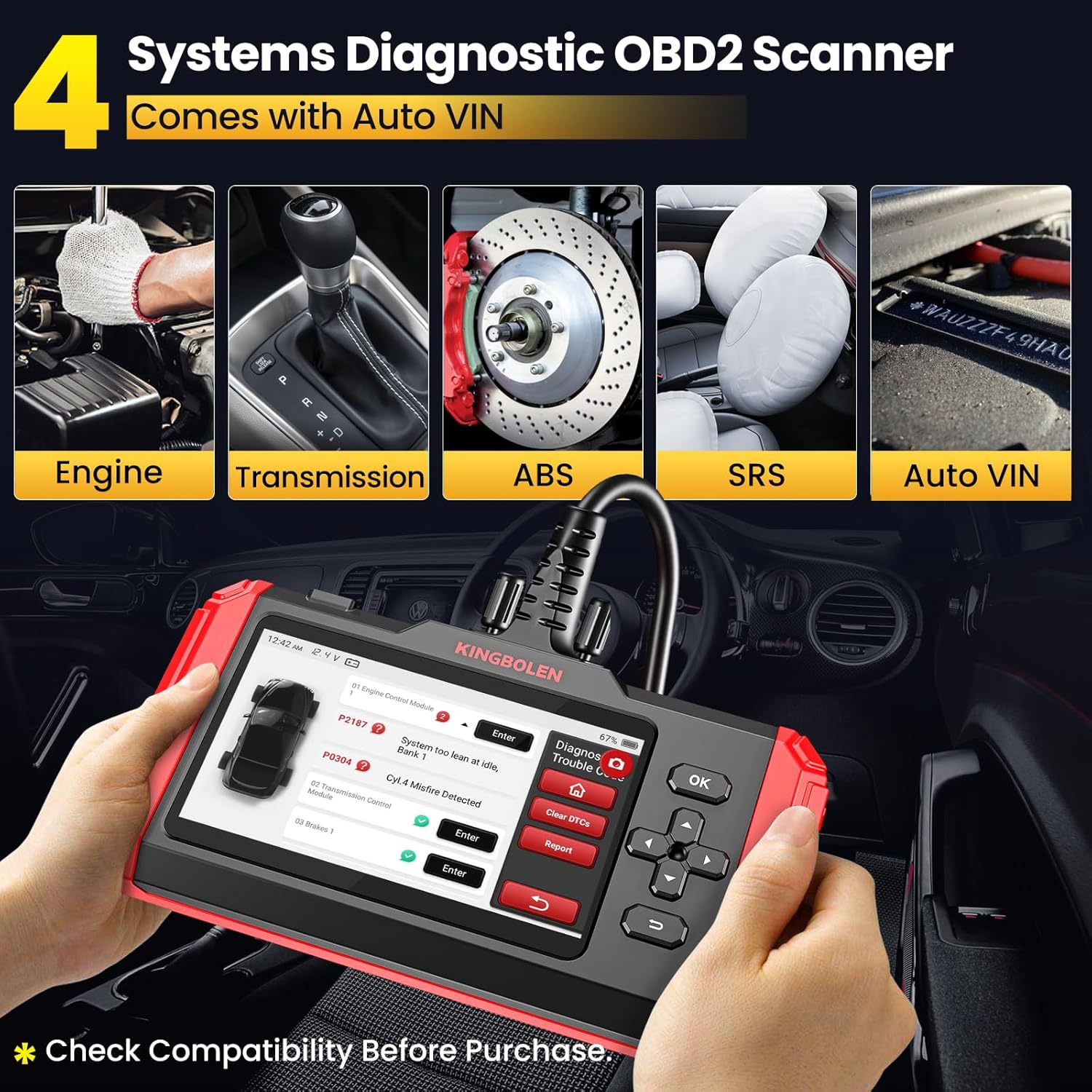
Enhanced 4 Systems Diagnostic Tool
If you’re a mechanic or a car enthusiast who loves to get hands-on with your vehicle, the KINGBOLEN S500 OBD2 Scanner is a must-have tool in your arsenal. This diagnostic tool can scan ABS, SRS (airbag), Engine (ECM), and Transmission (TCM/Trans) systems to view live data streams of multiple sensors, read and clear fault codes, and turn off warning lights.
The one-click Automotive Diagnosis Report feature makes it easy to record information or share it via email.
Pros:
- Offers comprehensive and swift diagnosis
- Helps mechanics repair vehicle failures more efficiently
- Permanently f.ree upgrades for the latest version
- Works on more than 75 vehicle brands and over 10,000 cars
Cons:
- May not be compatible with all car models
- Requires basic knowledge of car diagnostics for effective use
To give you a better understanding of the features and specifications of the KINGBOLEN S500 OBD2 Scanner, let’s break down the information into a table:
| Feature | Details |
|---|---|
| Systems Supported | ABS, SRS, Engine, Transmission |
| Special Services | Oil Reset, Brake Reset, Throttle Matching Reset, SAS Reset |
| Screen Size | 5-inch touch screen |
| Memory | 2GB ROM and 32GB internal memory |
| Language Supported | 21 languages including English, French, German, Italian, Spanish, and more |
| Warranty | 1-year warranty and 30-day unconditional return policy |
| Upgrade | Lifetime f.ree WiFi upgrade |
| OBDII Test Modes | Supports all 10 OBDII test modes including I/M Readiness test, View data stream, Read&Clear DTCs, and more |
Now that you have a clear overview of the features, let’s move on to the next section of our review.
F.ree 4 Special Services
One of the standout features of the KINGBOLEN S500 OBD2 Scanner is its capability to perform 4 resets, including Oil Reset, Brake Reset, Throttle Matching Reset (ETS Reset), and SAS Reset.
These special services make it an excellent diagnostic scan tool for various automotive applications. Mechanics can efficiently diagnose and repair vehicle issues, thanks to these specialized reset functions.
Pros:
- Swift and comprehensive diagnosis
- Covers a wide range of vehicle brands and models
- Helps in prolonging car lifespan with improved performance
Cons:
- Some resets may require additional tools or professional guidance
- Limited compatibility with certain car models
Let’s break down the details of the 4 special services offered by the KINGBOLEN S500 OBD2 Scanner in another table:
| Special Service | Description |
|---|---|
| Oil Reset | Allows resetting the oil change indicator after an oil change |
| Brake Reset | Helps in resetting the brake system for maintenance purposes |
| Throttle Matching Reset | Resets the throttle settings for smoother acceleration |
| SAS Reset | Resets the Steering Angle Sensor calibration to ensure accurate steering angles |
By understanding these special services, you can make an informed decision on whether the KINGBOLEN S500 OBD2 Scanner meets your specific needs.

5-Inch Touch Screen and 2+32GB Bigger Memory
The KINGBOLEN S500 diagnostic tool is equipped with a 5-inch Gorilla Glass touch screen, making it durable and scratch-resistant. The 2GB ROM ensures that the software runs smoothly, while the 32GB internal memory provides enough space to download additional car modules and the latest reset functions. This larger memory capacity sets it apart from other scan tools on the market.
Pros:
- Durable and scratch-resistant touch screen
- Fast and efficient software performance
- Plenty of storage space for additional car modules
Cons:
- Smaller screen size compared to some other models
- May require updates for new vehicle models and features
Let’s summarize the features of the KINGBOLEN S500 diagnostic tool in a table:
| Feature | Details |
|---|---|
| Screen Size | 5-inch Gorilla Glass touch screen |
| ROM | 2GB internal memory for software performance |
| Internal Memory | 32GB storage capacity for car modules and reset functions |
| Durability | Wear-resistant and scratch-resistant screen for long-lasting use |
| Compatibility | Requires information on car brand, model, and year for accurate use |
With these details in mind, you can evaluate whether the KINGBOLEN S500 OBD2 Scanner is the right choice for your automotive diagnostic needs.
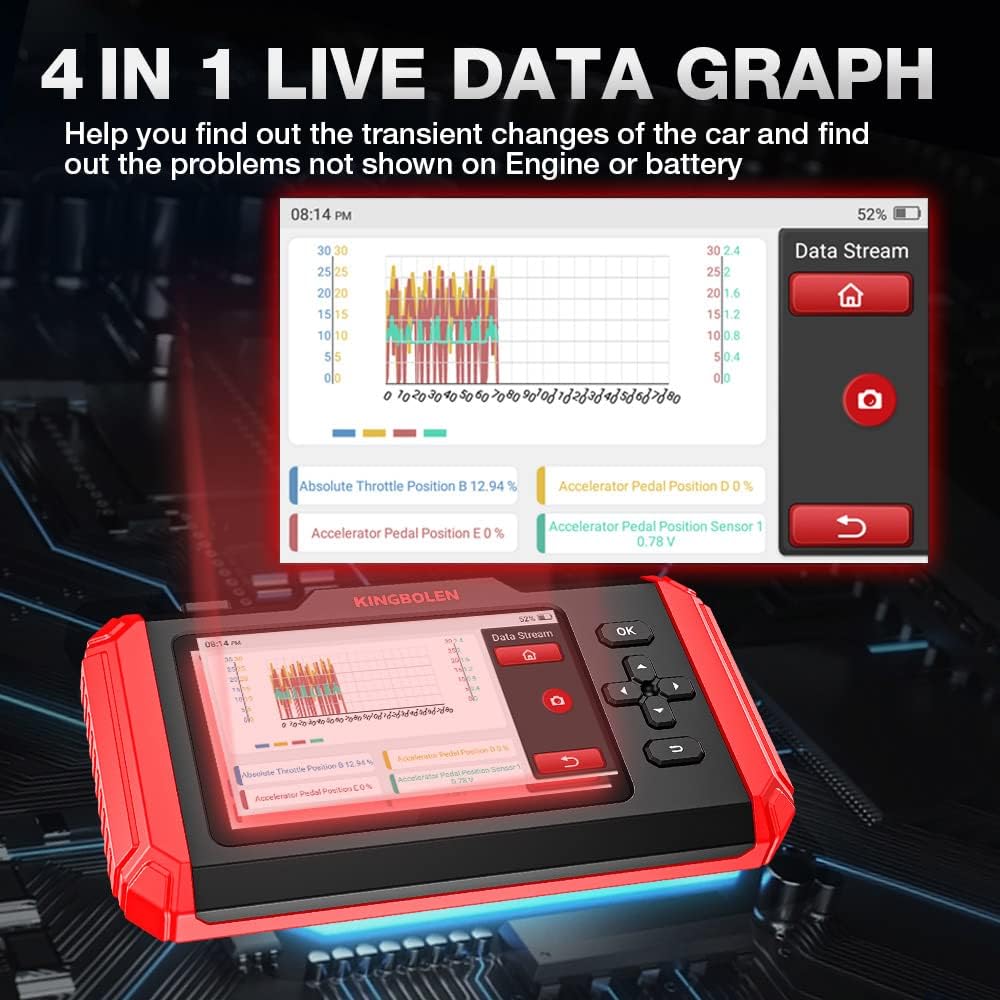
Auto VIN + 4-IN-1 Live Data + Vehicle Health Report
The KINGBOLEN S500 automotive tool comes with the Auto VIN feature, which automatically retrieves the vehicle’s VIN and information when connected. This makes it easier to diagnose and analyze potential issues with your vehicle.
The 4-IN-1 Data Stream Graphic display allows for quick analysis and diagnosis, while the Vehicle Health Report feature can be recorded, shared via email, and printed for reference.
Pros:
- Automatic retrieval of vehicle VIN and information
- Detailed data stream graphic display for quick diagnosis
- Generation of comprehensive vehicle health reports
Cons:
- Requires stable connection for accurate data retrieval
- May need additional software for detailed data analysis
Let’s summarize the functionalities of the Auto VIN and Vehicle Health Report features in a simplified table:
| Feature | Details |
|---|---|
| Auto VIN | Automatically retrieves vehicle VIN and information when connected |
| Data Stream Display | Shows 4-IN-1 graphic display for detailed data analysis |
| Health Report | Generates a comprehensive report of the vehicle’s health status |
| Sharing Options | Reports can be shared via email and printed for reference |
By understanding the capabilities of these features, you can effectively use the KINGBOLEN S500 OBD2 Scanner for diagnosing and maintaining your vehicle.
Support 10 Full OBDII Test Modes
The KINGBOLEN S500 car diagnostic tool supports all 10 test modes of OBDII tests, including identifying VIN information, I/M Readiness status tests, viewing freeze frames, data streams, O2 sensor tests, EVAP system tests, on-board monitor tests, reading and clearing DTCs, DTC code lookups, and turning off MIL (Malfunction Indicator Lights).
This comprehensive support for OBDII test modes makes it a versatile tool for diagnosing various emission-related issues.
Pros:
- Supports all 10 OBDII test modes for thorough diagnostics
- Helps in identifying and resolving emission-related issues
- Ensures improved performance and prolonging of car lifespan
Cons:
- May require additional expertise for advanced diagnostics
- Some test modes may be redundant for basic diagnostics needs
To provide a better breakdown of the 10 full OBDII test modes supported by the KINGBOLEN S500 OBD2 Scanner, let’s summarize the information in a table:
| Test Mode | Description |
|---|---|
| Identify VIN Information | Retrieves the vehicle’s VIN for detailed information |
| I/M Readiness Status Test | Checks the system’s readiness status for emissions testing |
| Freeze Frame View | Captures a snapshot of the vehicle’s operating conditions at the time the DTCs were set |
| Data Stream View | Displays real-time data streams for sensor analysis |
| O2 Sensor Test | Checks the functionality of the oxygen sensor for emissions control |
| EVAP System Test | Checks the Evaporative Emission Control System for leaks and proper operation |
| On-Board Monitor Test | Monitors various systems for potential issues and performance checks |
| Read&Clear DTCs | Reads and clears Diagnostic Trouble Codes for accurate diagnostics |
| DTC Code Look Up | Helps in identifying the meanings of specific DTC codes |
| Turn off MIL | Resets the Malfunction Indicator Light after resolving issues |
With a clear understanding of the OBDII test modes supported by the KINGBOLEN S500 OBD2 Scanner, you can effectively diagnose and troubleshoot your vehicle’s issues.
Lifetime F.ree WiFi Upgrade + 21 Languages Supported
The KINGBOLEN S500 Automatic Scan Tool offers lifetime f.ree WiFi upgrades to keep your device up-to-date with the latest software and vehicle models. Additionally, it supports 21 languages, including English, French, German, Italian, Spanish, Portuguese, Japanese, Russian, Polish, Turkish, Korean, Dutch, and more. This ensures that users from different regions and language preferences can easily operate and understand the diagnostic features of the tool.
Pros:
- Lifetime f.ree WiFi upgrades for staying current with new features
- Multilingual support for global users
- Enhanced user experience with language preferences
Cons:
- Language selection may require additional settings
- WiFi connectivity may vary based on network availability
Here’s a simplified breakdown of the WiFi upgrade and language support features offered by the KINGBOLEN S500 OBD2 Scanner:
| Feature | Details |
|---|---|
| WiFi Upgrade | Lifetime f.ree upgrades for accessing the newest software and models |
| Language Support | Supports 21 languages for multilingual users to operate the tool |
| User Preference | Allows users to choose their preferred language for customized use |
| Global Operation | Ensures accessibility to users worldwide with language diversity |
| Connectivity | Requires stable WiFi connection for seamless upgrades and operations |
Understanding the benefits and functionalities of these features can help you make an informed decision about investing in the KINGBOLEN S500 OBD2 Scanner.
Conclusion
In conclusion, the KINGBOLEN S500 OBD2 Automotive Diagnostic Scanner Tool is a versatile and efficient tool for diagnosing and maintaining your vehicle. With enhanced 4 systems diagnostic capabilities, 4 special services, a 5-inch touch screen, support for 10 full OBDII test modes, and lifetime f.ree WiFi upgrades, this diagnostic tool offers comprehensive and swift diagnosis for a wide range of vehicles.
Whether you’re a mechanic, car enthusiast, or a private owner, the KINGBOLEN S500 OBD2 Scanner can help you keep your vehicle running smoothly and efficiently. By understanding its features and functionalities, you can make an informed decision about incorporating this tool into your automotive toolkit.
So, why wait? Upgrade your diagnostic capabilities with the KINGBOLEN S500 OBD2 Automotive Diagnostic Scanner Tool and take charge of your vehicle’s maintenance and performance like never before!